e Milkat Gujarat 189 - Online Property Card Application & Print Guide
e-Milkat is a digital platform introduced by the Government of Gujarat to streamline property record management. It enables residents to conveniently access, view, and maintain their property cards online.
Overview: e-Milkat Gujarat – Online Application & Print
Platform Name: e-Milkat Gujarat Portal
Official Website: e-milkat.gujarat.gov.in/ioraonlinepcard/
Submitting an e-Milkat Application
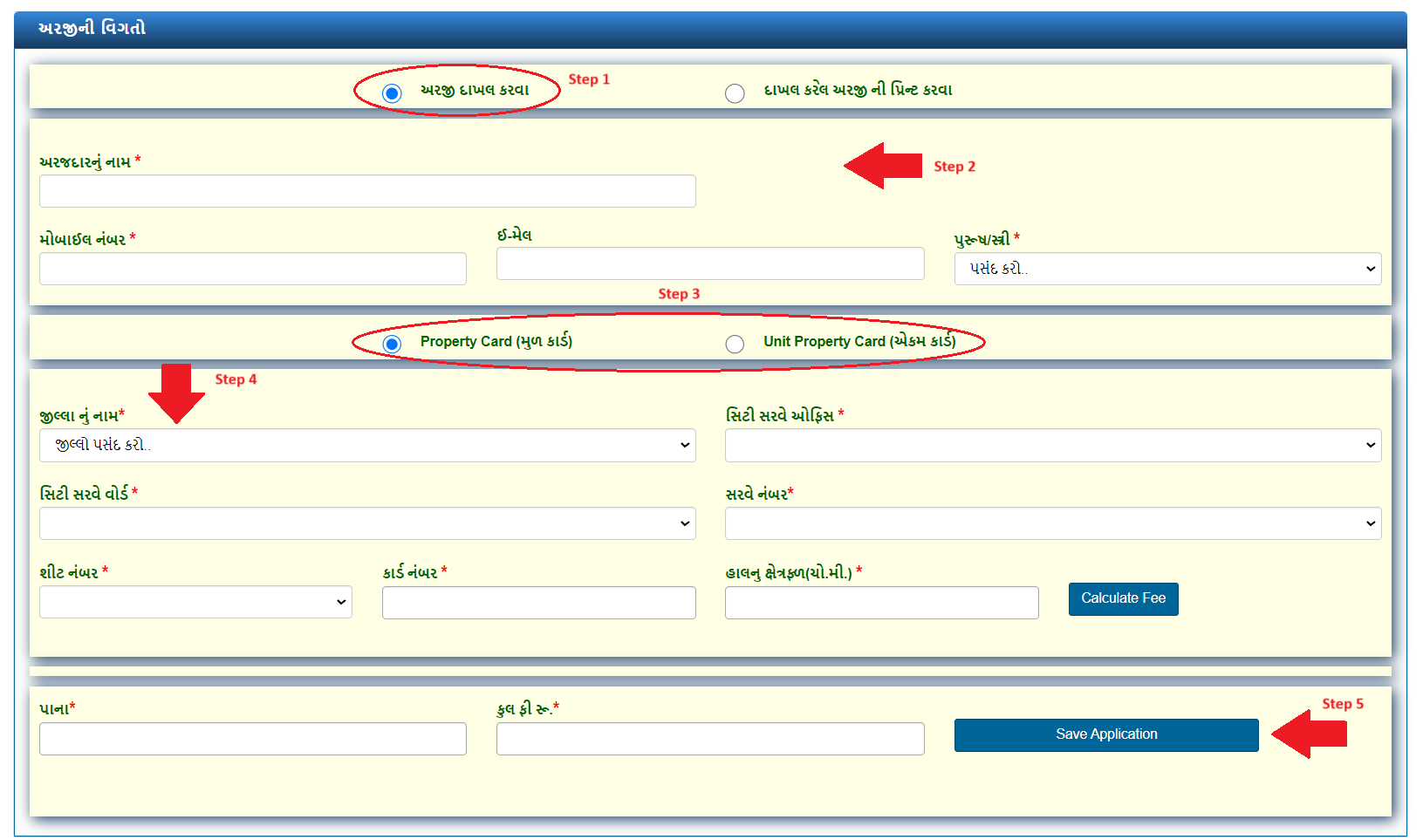
To initiate an e-Milkat application, begin by choosing the "To file an application" option. Provide your personal information including your name, mobile number, email address, and gender. Next, choose either the Property Card or Unit Property Card option.
You will then be prompted to enter the following information:
-
Name of the District
-
City Survey Office
-
City Survey Ward
-
Survey Number
-
Sheet Number
-
Card Number
-
Present Area (in square meters)
After filling in these fields, click on "Calculate Fee" to determine the applicable charges. Finally, press the "Save Application" button and follow the on-screen instructions to complete your submission.
Printing Your e-Milkat Application
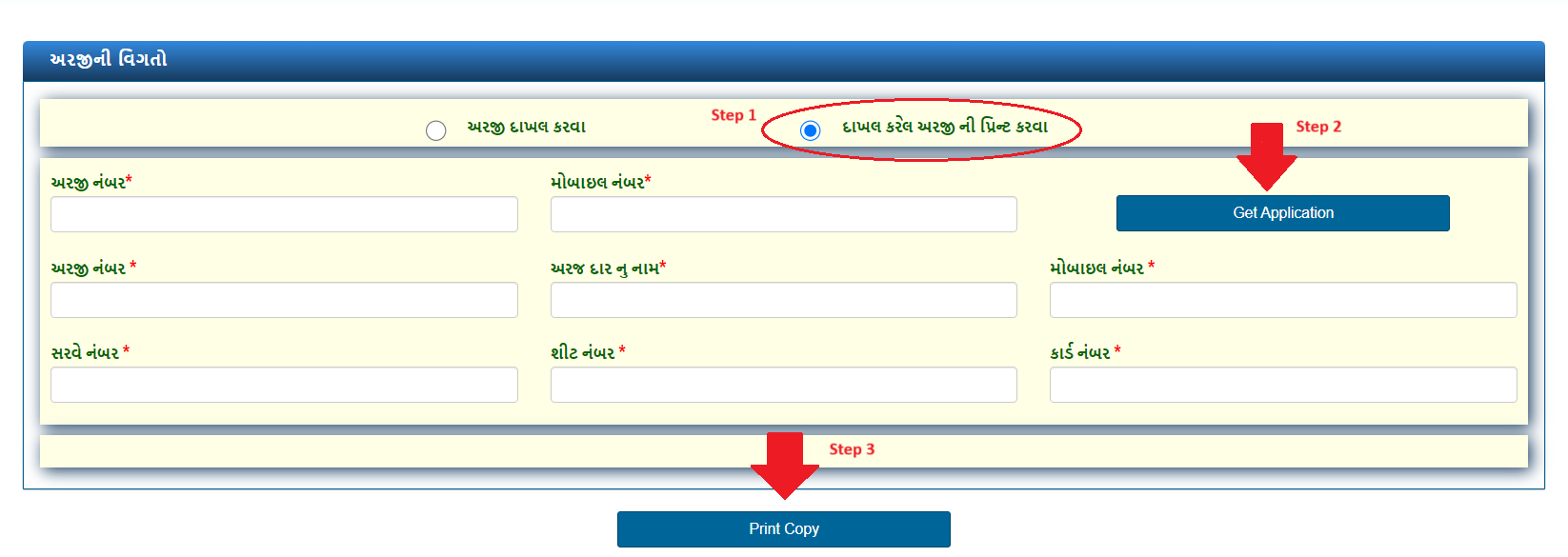
To print a previously submitted application, select the "To print the submitted application" option. Enter your application number and mobile number, then click "Get Application". To download the file, simply click "Print Copy".